
AI video search can help a content team find useful footage inside recordings it already owns. Before uploading an entire archive, run a small evaluation that separates finding a moment from editing a finished clip. A search result is useful only if someone can verify it and move it into the next production step.
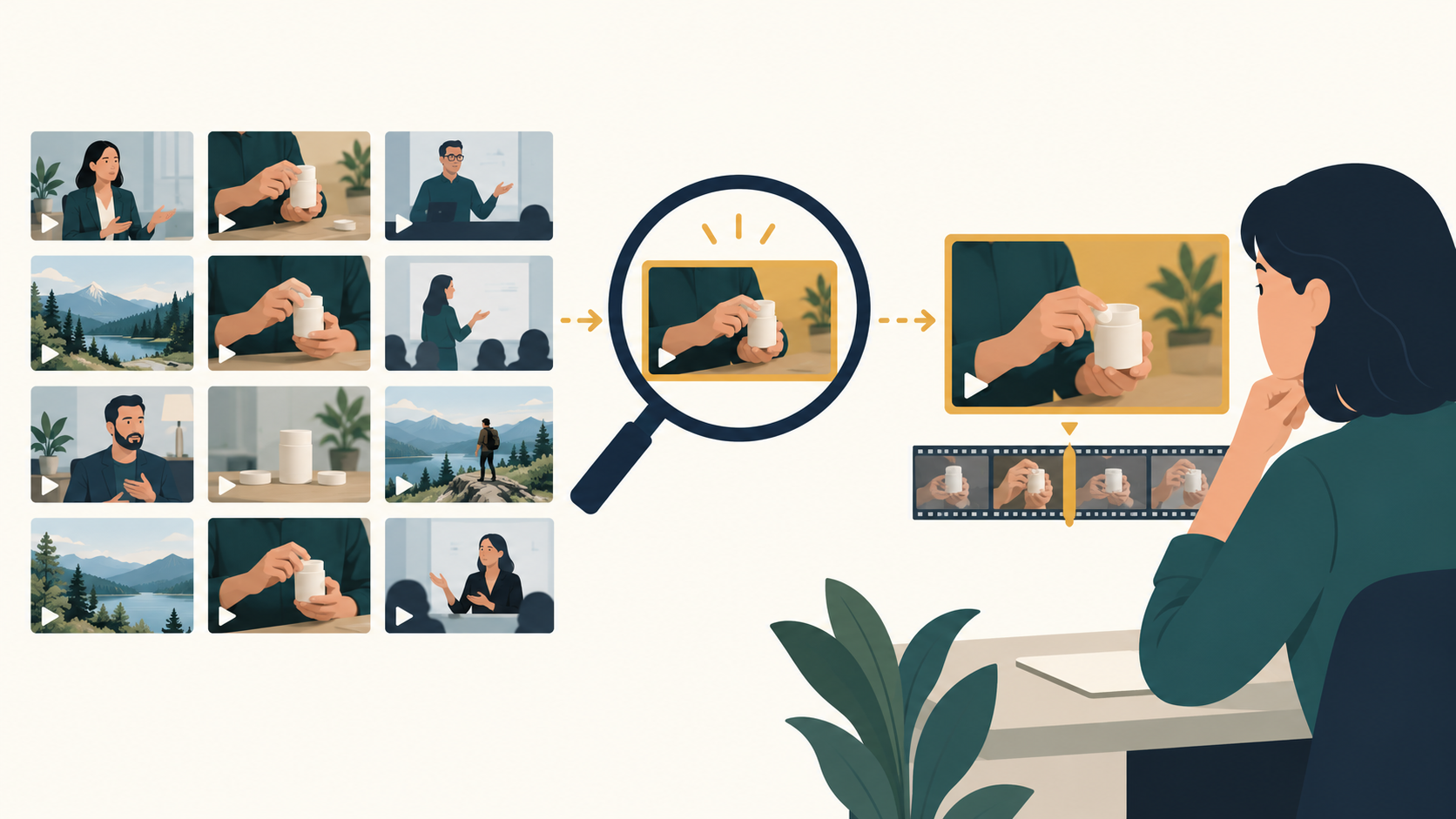
This guide gives creators a practical test plan. It is an editorial evaluation framework based on current official product information, not a hands-on benchmark or a claim that one product wins every task. The topic was selected after a US keyword-demand check; this is separate from evaluating product performance.
What AI video search should solve for your team
Start with a missed production opportunity. Perhaps the team remembers a customer explaining a feature, but cannot remember which interview contains it. Or an editor needs a silent shot showing a product in use. Those two requests need different evidence.
A transcript search may help with the spoken explanation. A visual request requires a system that examines the footage. In its explanation of semantic video search, TwelveLabs describes finding video moments from their meaning rather than depending only on labels. That distinction gives you a useful evaluation question: does the result contain the requested event, or merely related words?
Define a successful result before testing. For example, require a playable moment, enough surrounding context to interpret it, and a source file an editor can retrieve. Avoid judging a search system by the fluency of its answer alone.
Choose a search tool before choosing an editing workflow
TwelveLabs documents two entry points: Jockey for an agent-led interaction and its Models API for explicitly controlled model calls. Its documentation describes results such as cited moments, clips, text, and embeddings. This makes it a candidate to evaluate when the immediate job is video library search.
An editor serves another part of production. Descript presents text-based video and audio editing, captions, and clip creation. If your footage is already located, an editing workflow may address the next bottleneck. Check its current features against the task you actually need; this guide does not assume that every editing tool searches an entire archive.
For adjacent production tasks, explore the site's Descript listing and AI video tools workflow guide. Generating new footage, locating existing footage, and polishing selected footage deserve separate evaluations.
Build a small, representative video retrieval test
Choose recordings you have permission to process. Include ordinary material from the real archive rather than only polished demonstrations. A manageable trial might contain an interview, a product demonstration, a webinar, and a quiet scene with little speech. This is a suggested test set, not an industry standard.
Write the queries before running the tool. Otherwise, it is easy to adjust the task until the results look convincing. Include these kinds of requests:
- A phrase you know appears in the audio.
- A visual action that nobody describes aloud.
- A topic mentioned in several different recordings.
- A request for footage that is absent from the test set.
Keep a private answer sheet with the expected files and approximate locations. For ambiguous requests, record more than one acceptable answer. The absence test matters: a tool that confidently produces a loosely related result may create extra review work.
Inspect the returned scene and the surrounding context
Open the returned moment in the original recording. Check whether the requested action actually occurs and whether the start and end boundaries preserve its meaning. A phrase taken from a disagreement can look like an endorsement when the surrounding conversation disappears.
Use a simple review sheet with columns for query, returned source, relevance, context, and next action. Record observations rather than inventing an overall accuracy percentage from a handful of examples. If a result is wrong, describe the error: incorrect object, missed speaker, misleading boundary, or unrelated dialogue.
Repeat a few requests with natural wording changes. Your colleagues will not all phrase a request the same way. Record whether the new wording changes what they can find, then decide whether that variation is acceptable for your workflow.
Check the handoff and the archive rules
A promising search demo can still leave an editor with manual work. Test how someone reaches the original asset and how the selected section enters the editing process. Confirm available export behavior in the product you are evaluating rather than assuming a direct integration.
Before expanding the trial, check account access, retention controls, deletion behavior, upload limits, and the current billing model. Ask how new files enter the library and how removed files disappear from search. These are procurement questions to verify with the provider; this article does not promise that a particular plan includes every control.
Keep the original media and your existing archive organization during the pilot. Document who approves a clip for reuse, especially for customer interviews or licensed footage. Finding a scene does not establish permission to publish it.
FAQ
Is transcript search enough for a video archive?
It may be enough when the task is locating spoken words. If you need silent actions or visual details, include those requests in a multimodal search evaluation and inspect the returned footage.
Does AI video search replace a video editor?
Treat retrieval and editing as separate requirements. A system may offer both, but you should verify each part: finding the source moment and producing a usable finished sequence.
How many videos should a pilot include?
Use enough variety to represent the work you expect the tool to handle. Start with a set you can manually review, then expand after you understand the failure cases and handling costs.
Conclusion
Evaluate AI video search with your own questions, known source moments, and a real editing handoff. Expand the archive only when the team can verify results, preserve context, and retrieve the underlying assets without creating another production bottleneck.