
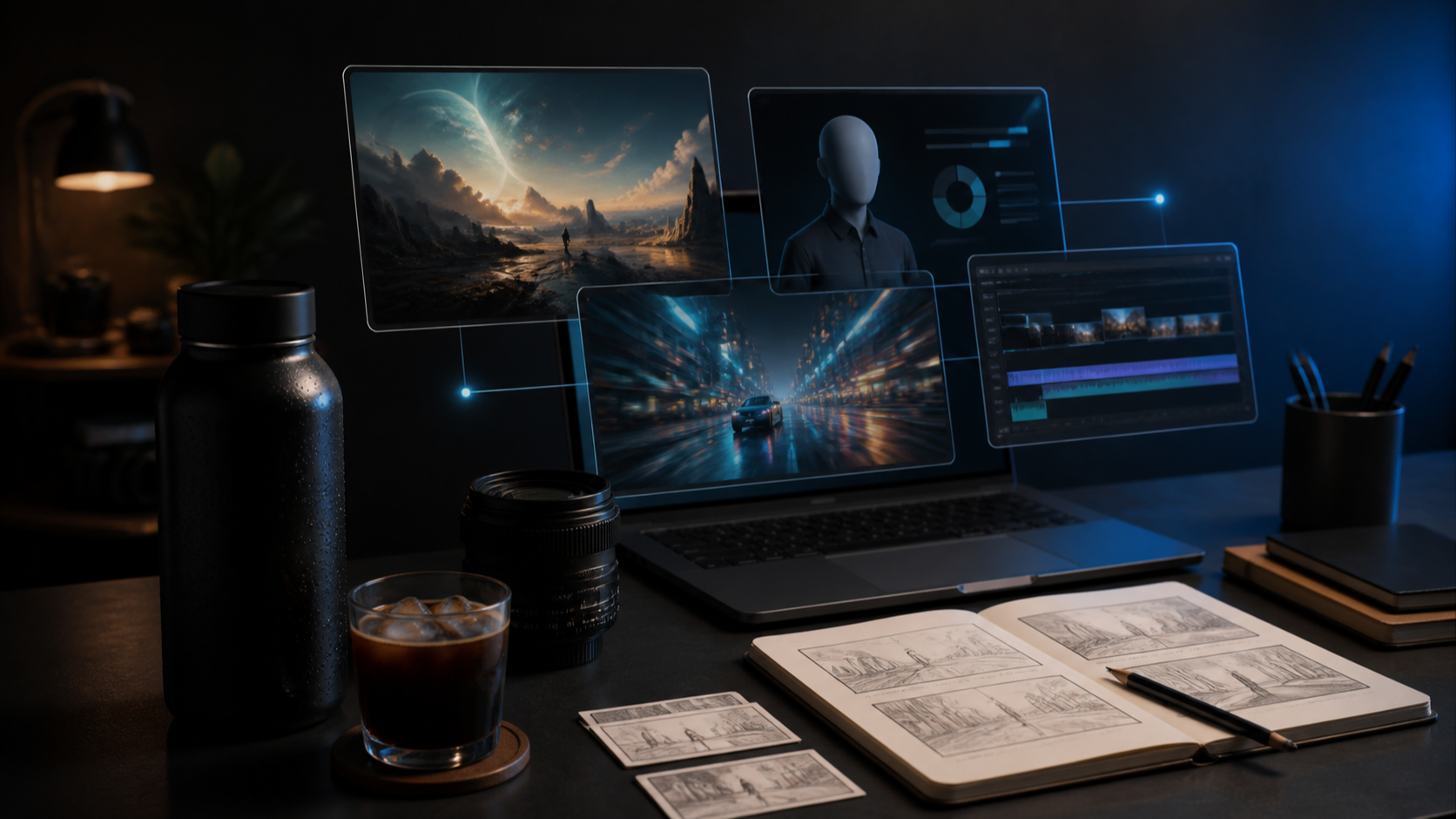
The best AI video tools do not all solve the same problem. Some generate cinematic shots from a prompt. Others restyle existing footage, create presenter-led training videos, translate a speaker into multiple languages, or turn a script into a nearly finished social video.
That is why a single “best AI video generator” ranking is rarely useful. A beautiful five-second clip tells you little about character consistency, revisions, captions, audio, brand controls, or the time it takes to deliver a complete video.
This guide compares 13 tools by workflow rather than hype. It is based on current official product information, not a universal benchmark or a claim that every tool was tested under identical laboratory conditions. Use it to build a shortlist, then validate that shortlist with your own footage, references, and approval process.
The short answer: start with the job, not the model
If your main challenge is generating original shots, compare Runway, Kling, Veo, and Seedance. If you want stylized clips, animation, or high-impact social visuals, look at DomoAI, Pika, and Higgsfield. For avatar-led training, sales, or localized content, HeyGen and Synthesia are more direct fits. If your bottleneck is turning a script or existing recording into a finished video, start with Invideo AI, Descript, Pictory, or Fliki.
- Runway: Generative shots inside a broader creative workflow. Test how much control survives across revisions and multiple shots.
- Kling AI: Motion-heavy, realistic, or product-focused generations. Test subject and style continuity across repeated generations.
- Google DeepMind Veo: Cinematic scenes where image and sound need to work together. Test availability, iteration speed, and control for your use case.
- Seedance: Multimodal, multi-shot generation with reference inputs. Test continuity and editability across longer sequences.
- DomoAI: Restyling footage, animation, and character-driven visuals. Test whether the chosen style stays stable through a full sequence.
- Pika: Short, playful, social-first effects and clips. Test whether short-form speed is enough for a larger production.
- Higgsfield: Marketing visuals, camera-led concepts, and model exploration. Test cost and consistency when moving from experiments to a campaign.
- HeyGen: Avatar videos, translation, and presenter-led content. Test voice, lip sync, and brand fit in each target language.
- Synthesia: Structured training and enterprise learning content. Test template flexibility and the reviewer workflow.
- Invideo AI: Going from an idea or script toward a complete video. Test originality and control over automatically selected assets.
- Descript: Editing recorded video through its transcript. Test the fit for visual work that extends beyond spoken content.
- Pictory: Repurposing scripts, documents, webinars, and long content. Test how well automated visuals match the meaning of the source.
- Fliki: Fast narrated videos from text, presentations, or blog posts. Test how much manual polish is needed before publishing.
The categories overlap. Several platforms now combine generation, editing, avatars, audio, and templates. The list is not a rigid classification; it shows the most sensible place to begin evaluating each product.
Why a great AI-generated shot can still fail in production
Product demos naturally show successful outputs. Real projects expose a different set of questions:
- Does the same person, product, or visual style survive a second and third shot?
- Can you replace one weak scene without rebuilding the whole sequence?
- Can an editor change timing, text, voice-over, captions, or B-roll after generation?
- Does the tool accept the reference material your team already uses?
- Can reviewers understand and approve the project without learning a new production system?
These questions suggest five practical evaluation criteria.
Output quality is the baseline: anatomy, motion, composition, lighting, product fidelity, and legibility all matter. Time to a usable first cut measures more than generation speed; it includes prompting, asset preparation, assembly, and cleanup. Repeatability shows whether a good result can be reproduced rather than discovered by luck. Revision control determines how expensive client feedback will be. Workflow fit captures everything from audio and captions to exports, collaboration, and brand requirements.
A tool can lead on one criterion and lose badly on another. The right choice is the one that removes the most expensive bottleneck in your own process.
AI video tools for cinematic scenes: Runway, Kling, Veo, and Seedance
This group is the natural starting point when the shot itself is the product: a product reveal, an atmospheric establishing shot, a character moment, or a sequence that would otherwise require filming or complex animation.
Runway: generation inside a larger creative system
Runway combines generative video with apps, an agent, and reusable workflows. Its official documentation frames video generation as one part of a broader creative environment, while Runway Agent can help build and revise multi-shot projects on a timeline. That makes Runway worth testing when generation is only the beginning and your team expects to keep shaping the result. (Runway generative video guide, Runway Agent guide)
Do not judge it from one prompt. Test whether references remain useful after several revisions, whether a replacement shot fits the surrounding material, and how easily the output moves into your normal editor.
Kling: test motion and continuity with your own subject
Kling belongs on the shortlist for teams comparing realistic movement, human performance, product shots, or image-to-video output. Because model behavior changes quickly, broad reputation is less valuable than a controlled test with your own subject.
Use one reference image, one action-heavy prompt, and one follow-up shot. Then compare body and object consistency, camera behavior, prompt adherence, and the number of generations needed to obtain usable material. That test will tell you more than a highlight reel.
Veo: sound and picture in the same scene-building process
Google positions Veo as a video generation model with native audio capabilities, including dialogue, ambience, and sound effects, as well as reference-based creative controls. That is especially relevant when sound is part of the scene rather than a layer added at the end. (Google DeepMind Veo)
The practical question is not simply whether Veo can produce an impressive clip. It is whether its access model, generation time, audio control, and revision path fit your production calendar.
Seedance: multimodal references and multi-shot thinking
ByteDance describes Seedance 2.0 as accepting text, images, audio, and video references, with multi-shot and synchronized audio-video generation. That makes it a useful candidate for sequences where several inputs need to guide the output. (Seedance 2.0)
Test it with the actual materials you plan to use: a character sheet, a product image, a style reference, or a timing track. The deciding factor is whether those inputs produce a coherent sequence, not how many input types appear on the feature list.
Stylized clips and AI music videos: DomoAI, Pika, and Higgsfield
Photorealism is not always the goal. Music videos, social campaigns, fan content, and experimental promos may benefit more from a strong visual transformation than from a scene that looks conventionally filmed.
DomoAI: transform footage instead of starting from zero
DomoAI supports text-to-video and image-to-video, but its video-to-video workflow is the more distinctive reason to evaluate it. Official guidance focuses on changing uploaded footage into a different visual style while preserving the source motion. That can be useful for animation, anime-inspired sequences, or stylized character content. (DomoAI video-to-video guide)
Run a full sequence through the same style rather than evaluating one frame. Faces, clothing, backgrounds, and fine details may behave differently as the source moves.
Pika: quick ideas, effects, and social-first moments
Pika presents itself as an accessible video creation platform built around text, images, and effects. It is a sensible option for short concepts, visual transformations, transitions, and memorable social moments where iteration speed matters. (Pika FAQ)
Its strength may be a specific beat inside a larger edit rather than an entire brand film. Test the exact duration and aspect ratios you publish, then check whether the clip still feels sharp after captions, cropping, and platform compression.
Higgsfield: a creative suite for campaign exploration
Higgsfield brings multiple creation modes and models into an AI-native creative suite, with an emphasis on cinematic and marketing output. It is worth considering when a team wants to explore camera language, visual effects, product imagery, and campaign variants without moving among many separate interfaces. (Higgsfield)
The trade-off is focus. A wide suite can speed up exploration, but you still need a repeatable recipe for the final campaign. Record the model, prompt, reference assets, aspect ratio, and finishing steps used for every approved look.
AI avatar video and localization: HeyGen and Synthesia
Avatar platforms solve a different business problem from cinematic generators. Their value is structure: turning a script into presenter-led content, managing voices and languages, applying templates, and updating information without arranging another shoot.
HeyGen: presenter content and multilingual adaptation
HeyGen combines avatars, voice, captions, text-to-video, and video translation. Its translation product is designed to adapt existing videos into other languages while retaining the speaker-led format. That makes it relevant for product explainers, sales enablement, creator localization, and customer education. (HeyGen, HeyGen video translation)
Evaluate each target language separately. A polished English demo does not guarantee that pronunciation, pacing, on-screen text, and lip sync will suit another market or brand voice.
Synthesia: repeatable learning and development content
Synthesia explicitly targets training and learning workflows, including avatar-led content, localization, templates, and updates. It is a logical candidate for onboarding, compliance, process documentation, and internal learning libraries where consistency and revision speed matter more than cinematic novelty. (Synthesia for learning and development)
Your test should include the least glamorous part of the workflow: stakeholder review. Check who can update a script, how templates protect the brand, and how quickly a small policy change can be published across language versions.
From script or recording to finished video: Invideo AI, Descript, Pictory, and Fliki
Sometimes the problem is not generating a shot. It is getting from an idea, webinar, interview, article, or rough recording to a publishable video before the topic goes stale.
Invideo AI: automate more of the assembly process
Invideo AI describes an agentic filmmaking workflow that can move from an idea or script through storyboarding, generation, editing, and assembly. It is suited to users who want the platform to handle more production decisions on the way to a first cut. (Invideo AI filmmaking guide)
The key test is editorial control. Give it a short brief with non-negotiable brand points, then see how quickly you can replace generic visuals, correct emphasis, and make the result feel authored rather than assembled.
Descript: edit spoken video by editing text
Descript's core advantage is transcript-based editing: cut and rearrange recorded audio or video through the text, then add captions and other production elements. It is particularly useful for podcasts, interviews, tutorials, demos, and talking-head content that already exists. (Descript video editing)
Do not compare Descript with a scene generator on prompt-to-video spectacle. Compare the hours required to turn a real recording into a clean long-form edit and several short derivatives.
Pictory: repurpose long-form source material
Pictory supports turning scripts, documents, presentations, audio, and existing video into edited video content. It is positioned for repurposing webinars, articles, and long recordings, including captions and highlights. (Pictory)
Automated visual selection is where human review matters. Check whether the chosen footage accurately supports the sentence, especially for technical, regulated, or emotionally sensitive topics.
Fliki: narrated videos from text and presentations
Fliki combines text-to-video workflows with AI voices, visuals, avatars, and captions. It is a practical candidate for turning blog posts, scripts, and presentations into narrated videos without building every layer manually. (Fliki)
Test voice quality, pronunciation, pacing, and visual relevance before testing volume. Producing ten drafts quickly has little value if every draft needs the same manual repair.
How to choose an AI video tool with one small test brief
You do not need to subscribe to all 13 platforms. A controlled mini-project can reduce the field quickly.
- Define the deliverable. Specify audience, duration, aspect ratio, language, distribution channel, and approval deadline. A cinematic ad, a localized training lesson, and five social clips require different systems.
- Identify the hardest three moments. Test a product close-up, a human action, a continuity shot, a difficult pronunciation, or a dense edit—whatever is most likely to fail in the real project.
- Use the same source pack. Give each shortlisted tool the same script, references, footage, brand colors, pronunciation notes, and export target whenever the workflow allows it.
- Force a real revision. Replace a product image, shorten a scene, change one claim, update captions, or create another language version. Revision cost often separates a demo from a production tool.
- Measure time to approval. Count preparation, failed generations, manual cleanup, exports, and reviewer feedback. The fastest first output is not always the fastest approved output.
Keep a simple scorecard for quality, repeatability, editability, workflow fit, and total time. Weight the categories according to the project. For a music video, style and continuity may dominate. For compliance training, accuracy, templates, and update speed should carry more weight.
Common selection mistakes
The first mistake is placing every product on one linear leaderboard. Scene generation, footage transformation, avatar production, transcript editing, and automated assembly are different jobs. A tool can be excellent in its category and still be wrong for your project.
The second mistake is evaluating only a single clip. Multi-shot work reveals identity drift, inconsistent products, changing environments, and mismatched camera language. Even short campaigns should be tested as a sequence.
The third mistake is ignoring the finishing process. Audio, captions, timing, legal review, asset replacement, and exports still exist after a model creates a promising image. Choose the tool that shortens the longest part of your workflow, not only the most exciting part.
Finally, avoid locking your process to a feature that has not been validated in your region, plan, or account. AI video products change rapidly. Confirm access, usage rights, pricing, output restrictions, and commercial terms on the official product pages before committing a client project.
FAQ
What is the best AI video tool overall?
There is no useful overall winner because the tools address different workflows. Start with the deliverable: original scenes, stylized footage, avatar-led content, localization, transcript editing, or automated assembly. Then compare two or three tools within that category.
Which AI video tools should I test for a product ad?
For original cinematic shots, begin with Runway, Kling, Veo, or Seedance. If the ad needs a presenter or several language versions, add HeyGen or Synthesia. If speed to a complete first cut matters more than custom cinematography, include Invideo AI.
Which tools are better for AI music videos?
DomoAI, Pika, and Higgsfield are sensible starting points for stylized or effect-heavy visuals, while generative scene tools can supply cinematic shots. Test visual continuity across an entire verse or sequence, not just one attractive frame.
Do I need a generative video model if I already have footage?
Not necessarily. Descript may be more valuable for spoken recordings, while Pictory or Fliki can help repurpose source material. DomoAI is relevant if you want to transform the look of existing footage. A generative scene model can still fill gaps or create B-roll, but it does not need to become the main editor.
How should a small team compare AI video pricing?
Compare the cost of an approved minute, not the price of one generation. Include failed attempts, premium model credits, storage, exports, voice or translation usage, editor time, and the cost of recreating inconsistent shots.
Final recommendation
The most reliable way to choose among these 13 AI video tools is to stop looking for a universal winner. Decide which stage is slowing you down, shortlist the products designed for that stage, and run the same small but difficult brief through each one.
A model that produces the most impressive isolated clip may not produce the fastest campaign. The best tool is the one that turns your references, script, footage, and feedback into an approved video with the least avoidable friction.
Editorial note: Product capabilities change frequently. This guide uses official product pages and documentation available at the time of writing. Confirm current access, pricing, usage rights, and regional availability with each provider before making a purchasing or production decision.